
Reviewing Amharic Speech-to-Text: A Practical Guide
Learn how speech recognition handles Amharic audio, where automated transcripts can go wrong, and how to review captions before publishing.
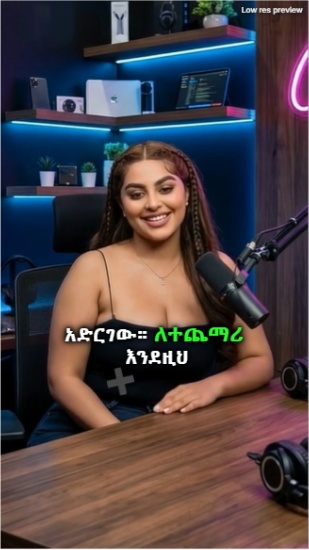
Speech-to-text systems, also called automatic speech recognition (ASR), turn recorded speech into written words. They can provide a useful first draft for captions, but every transcript still needs a review—especially when the recording includes unfamiliar names, background noise, or more than one language.
Amharic adds a script and language context that editors should check carefully. In everyday speech, a speaker may switch between Amharic and English, use local names, or pronounce borrowed words in a way that does not map neatly to a dictionary spelling.
What an automatic transcript can and cannot do
An ASR service analyzes audio and predicts the words being spoken. Depending on the service and workflow, it may also provide timing information that helps align captions with speech. The result is a draft, not an authoritative record: accuracy varies with microphone quality, speaker pace, pronunciation, overlapping voices, and the model's language support.
Do not treat a fluent-looking sentence as proof that it is correct. A system can produce a plausible word that changes the meaning, particularly around names, numbers, and code-switching.
A reliable transcript review workflow
1. Improve the recording where possible
Use a microphone close to the speaker, reduce avoidable background noise, and make sure speech is not clipped. Cleaner input makes both automated transcription and human review easier.
2. Listen while reading
Play the recording in short sections and compare each phrase with the transcript. Replay unclear moments rather than guessing. Check names, dates, amounts, negations, and technical vocabulary first because a small transcription error can materially change meaning.
3. Preserve the language and script
Write Amharic words in Ethiopic script. Keep English words, product names, acronyms, and brand names in their established Latin spelling when that reflects what the speaker said. Apply the same convention throughout the video.
4. Check timing and caption breaks
Read each caption while the video plays. Adjust start and end times so the text appears with the speech, and break lines at natural pauses or phrase boundaries. If a line is difficult to read at normal playback speed, shorten it or give it more time.
5. Keep meaning ahead of polish
Correct spelling and punctuation without silently changing the speaker's point. If you need to remove filler words or shorten a phrase for on-screen readability, preserve the original intent. For interviews or other sensitive recordings, follow the speaker's consent and your organization's review process.
A final quality check
Watch the complete video with sound, then check the captions on a phone-sized screen. Confirm that the text is readable, synchronized, and not obscured by controls. An editor's final review is what turns a machine-generated draft into dependable captions.
AI transcription can reduce repetitive typing, but it does not replace listening, language knowledge, or editorial judgment. Use it as a starting point and verify anything that matters.
Generate captions for your next video in minutes
Join hundreds of Ethiopian creators who use Bgern to automatically caption their videos.